
Dan,
I've gone ahead and created a ticket for this issue. While I can't guarantee a definite date as to when it will be complete, we will try to get it addressed as quickly as possible.
Unfortunately, after looking for an alternative workaround for this issue I haven't been able to come up with anything that would work across multiple themes. Sorry for the inconvenience and difficulty this is causing.

Dan,
Thank you for your patience on this. After looking through the code more in depth, it looks like the --app-font-size variable and the font-size set on the html styles that get passed in to the Tecton environment do not currently have a path to get customized by the theme. Though it definitely should. I do see how, with an update to the UUX codebase, we can get that in place though.
Let me talk to the team in the morning to see if this is something we can prioritize.
Good morning Dan!
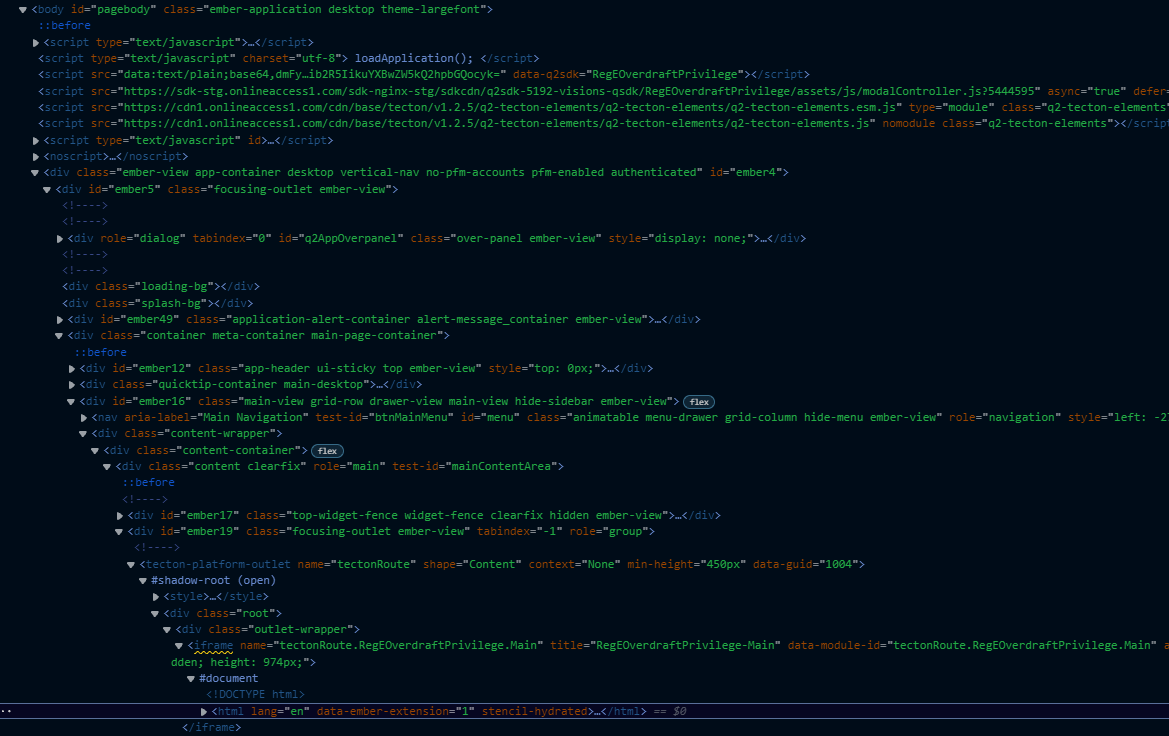
The way we pass theming information down in to the iframe is through the use of CSS Custom Properties. We pass in a large number of these to ensure that the styling of the Web Components and other bits match the parent application so that it appears seamless.
As to you question, we currently expose the CSS property/variable --app-font-size, but should also be setting the font-size on the html tag within the iframe. Can you verify whether this is either not taking place or is not the value you expect?
Looking through the code, it is possible a variable needs to get added/updated in the theme stylesheet.
https://cdn1.onlineaccess1.com/cdn/depot/5192/981/7bd18ff4409c2ee3ab68fd436700fdd0/assets/theme-largefont-e841ffdb69d6e8bf106b00cced42375a.css
Is there something we should be doing differently to make sure that comes through correctly?