Examples: query, "exact match", wildcard*, wild?ard, wild*rd
Fuzzy search: cake~ (finds cakes, bake)
Term boost: "red velvet"^4, chocolate^2
Field grouping: tags:(+work -"fun-stuff")
Escape special characters +-&|!(){}[]^"~*?:\ - e.g. \+ \* \!
Range search: properties.timestamp:[1587729413488 TO *] (inclusive), properties.title:{A TO Z}(excluding A and Z)
Combinations: chocolate AND vanilla, chocolate OR vanilla, (chocolate OR vanilla) NOT "vanilla pudding"
Field search: properties.title:"The Title" AND text
 
Answered
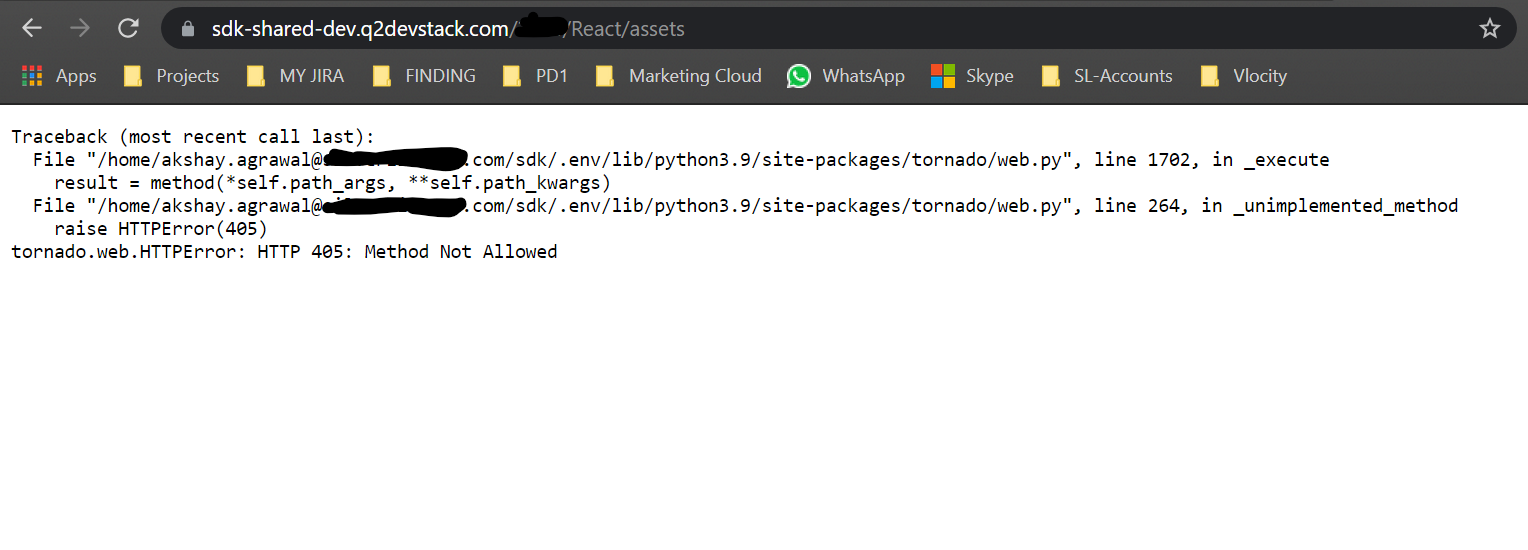
Getting "Method Not Allowed" error while running the React Example file

I am implementing the example as per the link: https://gitlab.com/Q2Antilles/sdk-examples/sdk-tecton-examples/-/tree/master/React

I am getting following error when I am running the extension file using the q2 run command.

I am seeing following error on the page when I am click on the generated assets link during the build
file

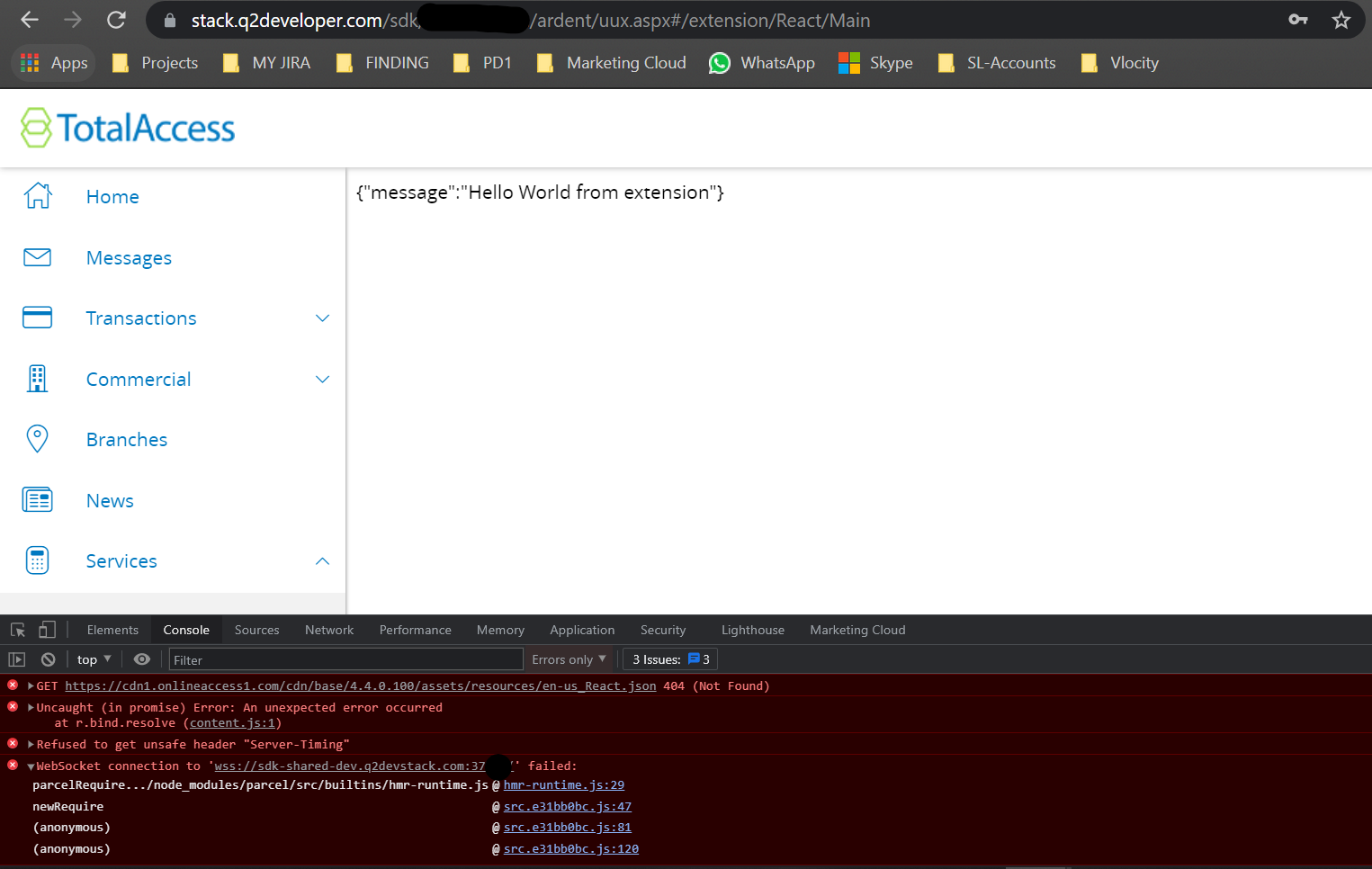
on UUX
I am able to see a message from extension but getting following errors on console
file

Please help me here.
Thanks in advance

Votes Newest

Answers 3


Hi Akshay, if you want to access your static assets that you added under frontend/assets folder then you would have to access like this in the screenshot, check the red box and yellow box to see how I place the image and access the image on browser.
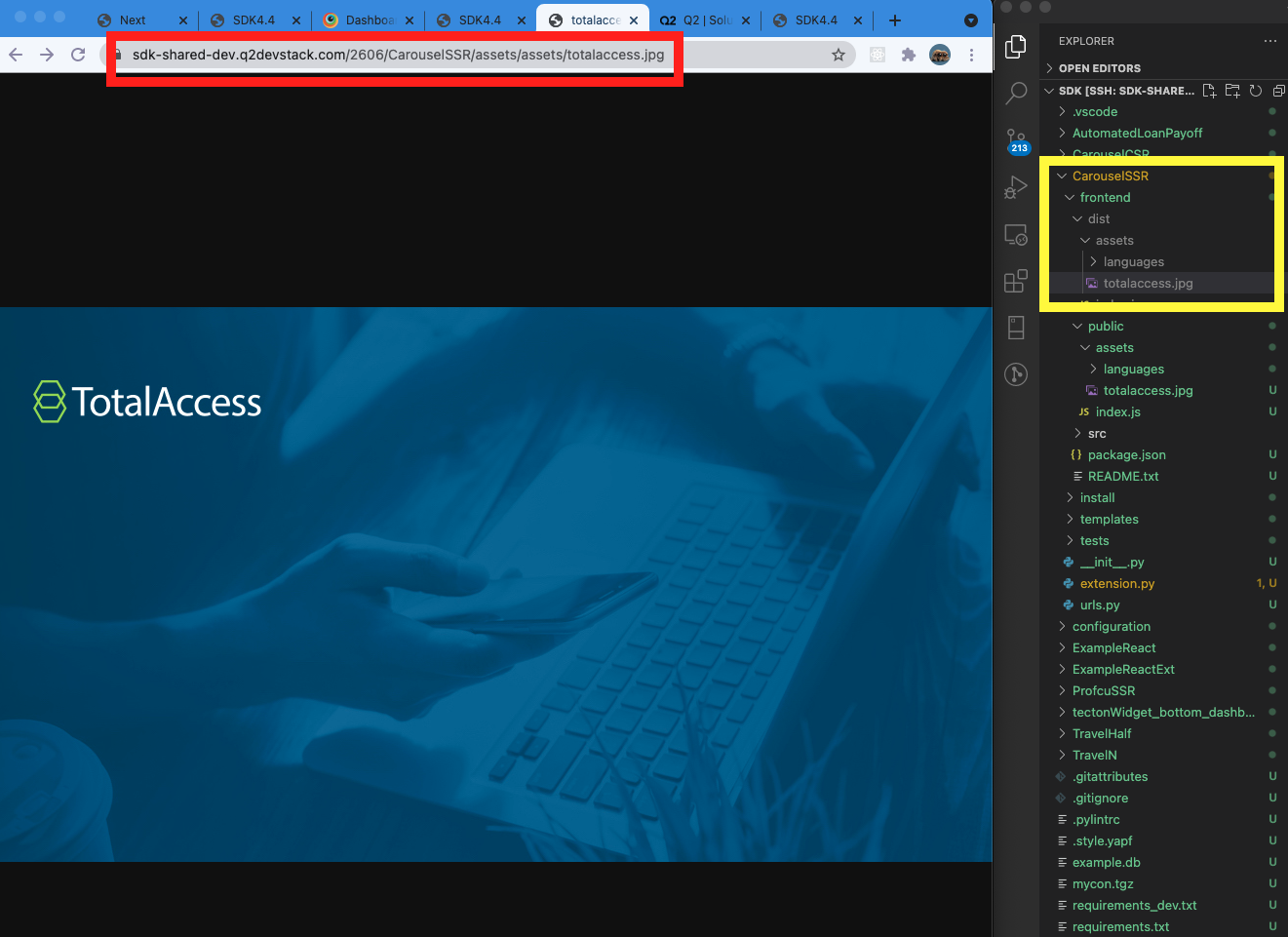
Screen Shot 2021-08-27 at 10.45.25 AM.png
And the reason why you get 405 error is that you don't have default get route handler on your extension.py , but this is not required.

    def get(self, *args, **kwargs):  # pylint: disable=unused-argument
        self.write("Hello World GET: From A extension")

The React example repo is a bit outdated, so we will open a new ticket to make the all dependencies up-to-date.
Let me know if you have any more questions.
Thanks.

Posted 5 years ago
Edited 5 years ago
Alex Jeong
60 × 1 Administrator
0

Thanks for the clearification Alex, I was in impression that index.html always calls by itself. One more query I have always run the server in order to run my extension funtionality. Is there anyway to deploy on shared-sdk so anyone with credentials ca...

— Akshay Agrawal   5 years ago
0

can demo

— Akshay Agrawal   5 years ago

Hi Akshay, the question in above for demo purpose.

You can leave the process open even after you exit the terminal.

Try nohup q2 run & , then you can close your terminal or vscode without disconnection,

and the server log will be stored in nohup.out file under sdk folder.

To restart or kill the process, re-visit terminal and use your stack name to find the process.

ps -ef | grep alex.jeong | grep "q2 run" then take the process id and kill

For instance

ps -ef | grep alex.jeong | grep "q2 run"

alex.jeong 11801 28635 1 16:14 pts/11 00:00:00 /home/alex.jeong@q2.com/sdk/.env/bin/python3.9
/home/alex.jeong@q2.com/sdk/.env/bin/q2 run

Then kill 11801

Posted 5 years ago
Edited 5 years ago
Alex Jeong
60 × 1 Administrator
0

You can re-open the shared-dev and try run "q2 run" then it will prompt if you want to stop existing process as well.

— Alex Jeong   5 years ago

Hi Alex,

Can we access the userinfo by CSR extension I am only seeing the the example by using the Adrent extension.

Posted 5 years ago
0

Hi Akshay, I've added a comment on the ticket SDK-5258 to show how to get user information.

— Alex Jeong   5 years ago
178 Views
3 Answers
5 years ago
5 years ago
Tags