Hey all,
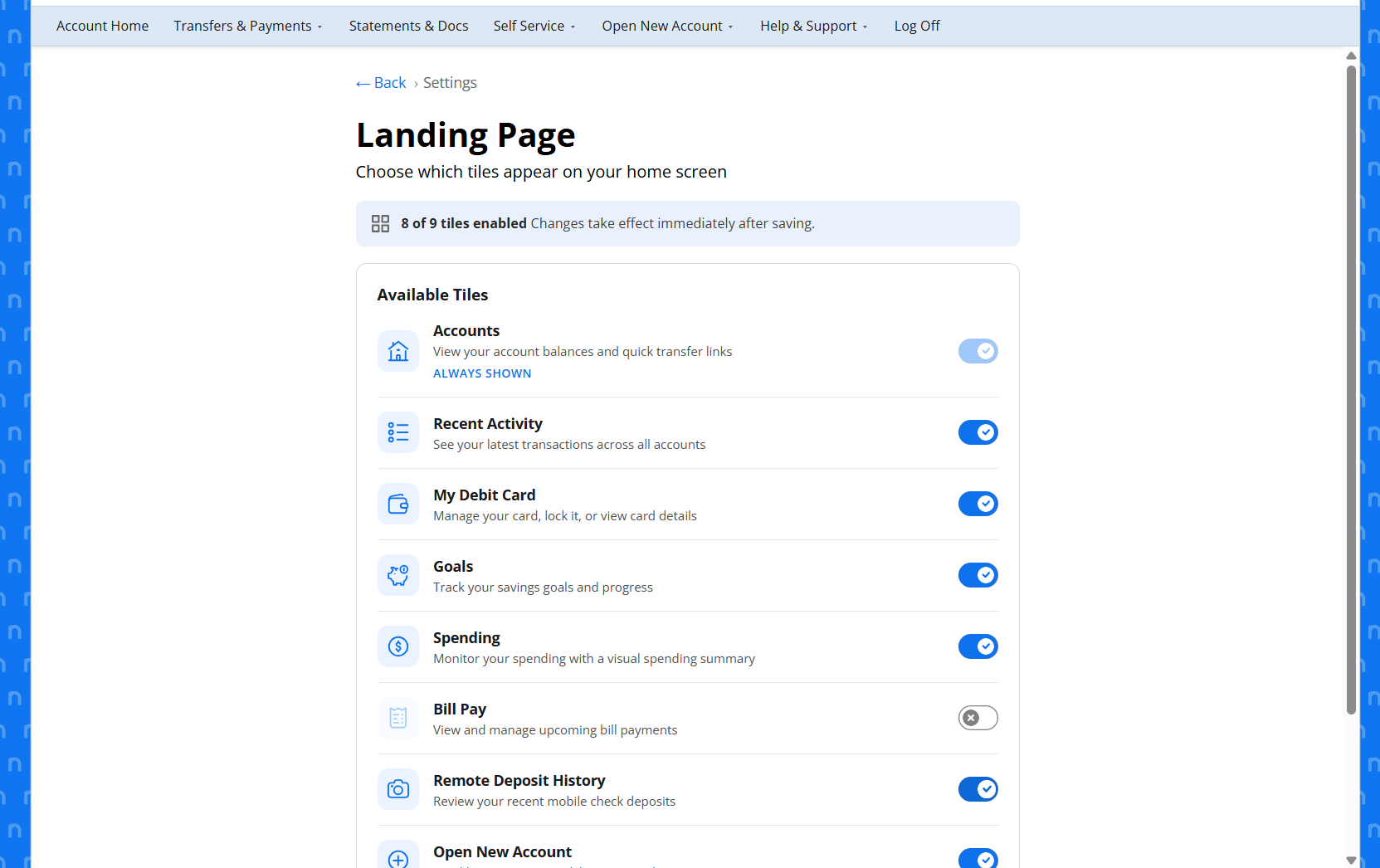
We've received feedback from our users that our Landing Page is a little too busy. With that, I'm working on a POC to allow members to disable or enable certain Composable Dashboard widgets on the Landing Page. I have the functionality working but seeking design advice from the group.
My first draft uses the standard form, but there's only three toggle buttons which leaves a lot of white space. My second thought is a modal, but unsure if a modal allows for the functionality needed to call to the backend routes to enable or disable the user features. My next idea would be a composable dashboard widget, but that would add to the clutter.
Any advice would be appreciated.
Thanks
Bradley



Hi Bradley,
What are the "backend routes" to enable and disable the user features?
We have composable dashboard blocks that we'd like to conditionally render. For example, we have a "Credit Card Rewards" block that we'd prefer not to show on the dashboards of folks who don't have credit cards.
The Q2 SDK support staff told us that wouldn't be possible but you seem to have discovered a way to switch these things on and off.
My apologies for answering your question with a question, but I was genuinely surprised that you figured out a way to effectively disable the blocks.
Than...
— Brandon Balliett 6 months agoHey Brandon,
— Bradley Bell 6 months agoThe way I'm enabling/ disabling these content blocks is by enabling or disabling the feature at the User level. The only content blocks I've been able to control are the ones that are listed in the Features tab via Q2 Central. For example, SavvyMoney and cPFM have standalone widget features that can be enabled or disabled. I have only tested this in our sandbox. However, my hypothesis is that if I can control any feature this is listed in the User's policy data, then that would include these widgets. Hope that makes sense.
I've even thought about allowing users to disable/ enable Composable Dashboard all together. That would be done by creating a separate Group where Comp Dashboard is disabled and by toggling on and off, it would move them between groups...but this is just a theory.
— Bradley Bell 6 months ago