
Hi Caleb,
In your query object within the coreflow is where you would construct the request. In the example query below an xml string of <ExampleRequest>123456789</ExampleRequest> gets produced. The build() method is what's responsible for constructing whatever the shape is. I'd setup a test where you have your known good request string in a file (test these by hand and make sure they are what you expect), then in the test construct the query object and call the build() method which ge...
Hi I've corrected your environment. In the future this type of request I would submit to us via support ticket instead of here on the community forum.
Hi Ethan, this has been fixed in the 2.211.0 SDK version.
Hi Ethan,
There is a single instance of memcache per data center we run. self.cache.set will have it's cache key scopped to your SDK service. If you set an entry with a key of name and value of Ethan for one online user, another online user will also see that same value.
If you want this to be scopped to a single session then opt to use self.session_cache.set instead. This will construct a key that's unique that just that session without any overlap between two users.
Hey Justin, the vault path on your file system would be different once you enabled that settting. The q2 vault entrypoint should help getting your secret in the location. Or I find viewing the logs at request time which will show the full path to the location it's searching and moving it there by hand.
Yes if you click on the transactions view there is a download button with many options.
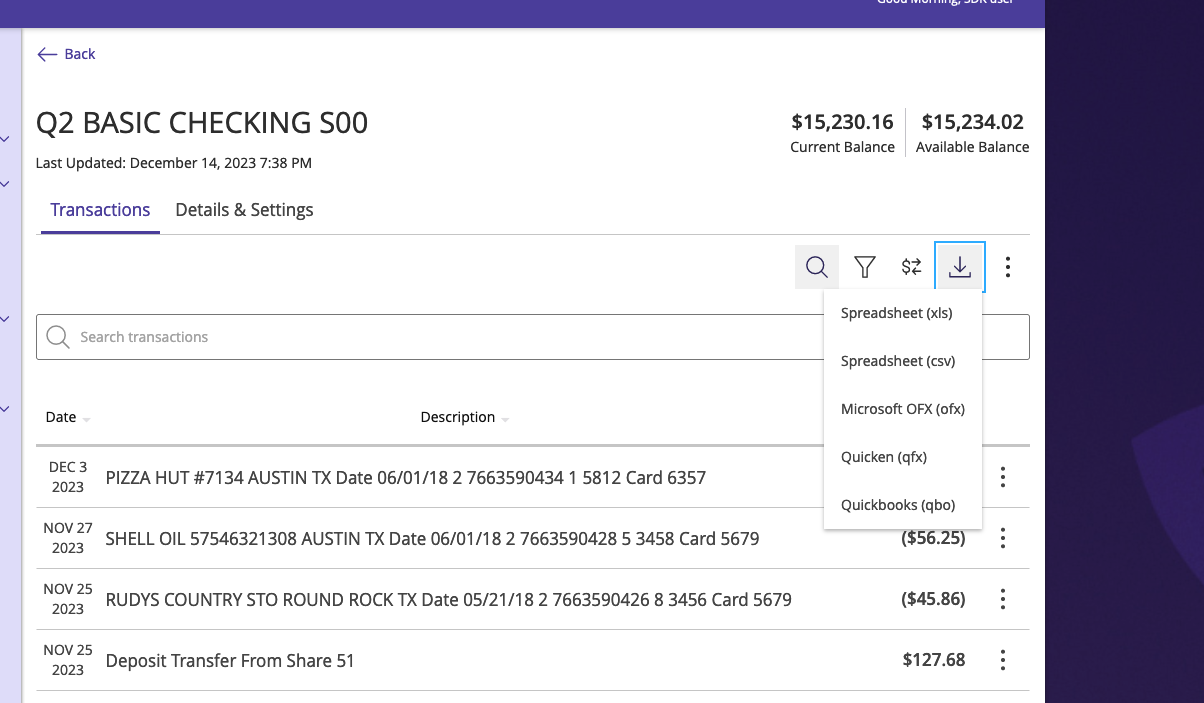
Hey Michael,
I think the best way to get this same functionality is to use the SymXchange File API. Upload your file then call your poweron with the letter file name you uploaded.
While this query is not in the SDK yet it something we should get added. Below is something you could use to get you started.
import base64
import logging
import uuid
from typing import Type

from lxml.builder import E, ElementMaker
from q2_cores.SymXchange.models import namespaces
from q...Hi Todd,
It depends. If you are using the build_base_query for a repgen/poweron (https://code.q2developer.com/Q2Antilles/q2-sdk/-/blob/develop/cores/q2_cores/Symitar/core.py?ref_type=heads#L35) request you’ll be able to set the USE_SYMXCHANGE parameter it will then generate a SymXchange SOAP request instead of a SymConnect request. This would only be done with repgen/poweron objects; if you’re building a TR or IQ request it would not be converted and break once you switch over to SymX...
Hey Ethan,
I don't see that we have a CLI command for adding an additional user logon. You could import some of the DbObjects to accomplish this, however.
from q2_sdk.hq import api_helpers
from q2_sdk.hq.hq_api.q2_api import AddUserLogon
from q2_sdk.hq.models.password_policy import PasswordPolicy

    password_policy = PasswordPolicy()
    await password_policy.populate_from_hq(logger, ui_source_id=1, hq_credentials=hq_credentials)
random_password = api_helpers.gen...Hey Vito,
Good question! The user can freely edit their email on the profile page without any verification. So, like you mentioned I would not use the email as a primary identifier. The user_id value would be safe to use if the system you are integrating with is not multi-tenant, or if the SAML response had another identifier to distinguish between differing financial institutions.
If you are wanting a globally unique indentifer then I would suggest creating a guid, and storing t...
Hey Dan, good question!
No issue on the Q2 platform side. The SDK will parse the SymConnect response the same way with the raw JSON within property payload on type SymConnectMessage. Once you get that you can easily json.loads(response.payload) to get it into a working dict.