
Hi Brock!
If I am understanding you correctly, you want to read the Tecton params on init of your SSR extension and re-route to a different routing key inside your extension accordingly.
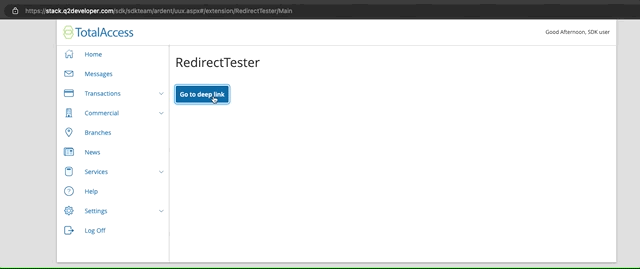
To navigate from a button click to another SSR extension passing a configured query param, you would do something like below in your template:
```
<script>
document.querySelector('#my-button').addEventListener('click', function() {
tecton.actions.navigateTo({
featureName: 'ExtensionName',
moduleName: 'Main',
queryParams: {'redirectTo': 'routingKey'}
});
});
</script>
```
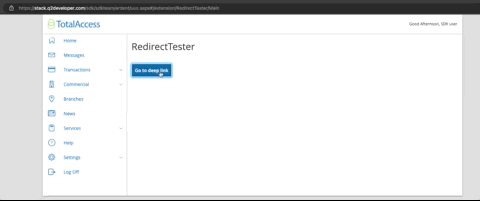
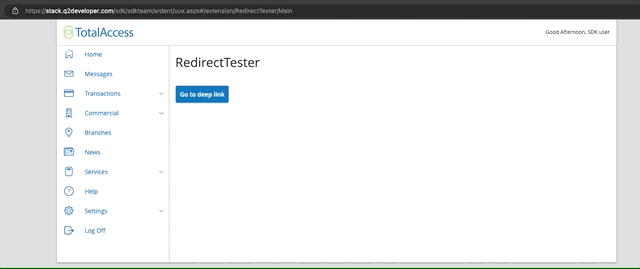
To catch and read this Tecton param at the initialization of your receiving extension, you will need to add another script in the default route template of your extension like the example below. This should trigger on load and will allow you to check for the parameter, and use the requestExtensionData capability to change your routing key and load an alternate template.
```
<script>
window.tecton.connected.then(function(tecton) {
tecton.sources.paramsChanged((params) => {
if (params.redirectTo) {
tecton.sources.requestExtensionData({
route: params.redirectTo
});
}
});
});
</script>
```
To have your extension correctly handle the query params you want to use, the [module parameters](https://docs.q2developer.com/guides/frontend_development/additional_entrypoints.html#module-parameters) section of the documentation should help you in setting up the 'redirectTo' param in your configuration.
https://cdn4.onlineaccess1.com/cdn/base/tecton/v1.21/Documentation/capabilities/navigateTo
https://cdn4.onlineaccess1.com/cdn/base/tecton/v1.21/Documentation/capabilities/paramsChanged
https://cdn4.onlineaccess1.com/cdn/base/tecton/v1.21/Documentation/capabilities/requestExtensionData
https://docs.q2developer.com/tutorials/online_banking/routing.html
Hi Brock!
If I am understanding you correctly, you want to read the Tecton params on init of your SSR extension and re-route to a different routing key inside your extension accordingly.
To navigate from a button click to another SSR extension passing a configured query param, you would do something like below in your template:
```
<script>
document.querySelector('#my-button').addEventListener('click', function() {
tecton.actions.navigateTo({
featureName: 'ExtensionName',
moduleName: 'Main',
queryParams: {'redirectTo': 'routingKey'}
});
});
</script>
```
To catch and read this Tecton param at the initialization of your receiving extension, you will need to add another script in the default route template of your extension like the example below. This should trigger on load and will allow you to check for the parameter, and use the requestExtensionData capability to change your routing key and load an alternate template.
```
<script>
window.tecton.connected.then(function(tecton) {
tecton.sources.paramsChanged((params) => {
if (params.redirectTo) {
tecton.sources.requestExtensionData({
route: params.redirectTo
});
}
});
});
</script>
```
To have your extension correctly handle the query params you want to use, the [module parameters](https://docs.q2developer.com/guides/frontend_development/additional_entrypoints.html#module-parameters) section of the documentation should help you in setting up the 'redirectTo' param for use.
https://cdn4.onlineaccess1.com/cdn/base/tecton/v1.21/Documentation/capabilities/navigateTo
https://cdn4.onlineaccess1.com/cdn/base/tecton/v1.21/Documentation/capabilities/paramsChanged
https://cdn4.onlineaccess1.com/cdn/base/tecton/v1.21/Documentation/capabilities/requestExtensionData
https://docs.q2developer.com/tutorials/online_banking/routing.html
Hi Brock!
If I am understanding you correctly, you want to read the Tecton params on init of your SSR extension and re-route to a different routing key inside your extension accordingly.
To navigate from a button click to another SSR extension passing a configured query param, you would do something like below in your template:
```
<script>
document.querySelector('#my-button').addEventListener('click', function() {
tecton.actions.navigateTo({
featureName: 'ExtensionName',
moduleName: 'Main',
queryParams: {'redirectTo': 'routingKey'}
});
});
</script>
```
To catch and read this Tecton param at the initialization of your receiving extension, you will need to add another script in the default route template of your extension like the example below. This should trigger on load and will allow you to check for the parameter, and use the requestExtensionData capability to change your routing key and load an alternate template.
```
<script>
window.tecton.connected.then(function(tecton) {
tecton.sources.paramsChanged((params) => {
if (params.redirectTo) {
tecton.sources.requestExtensionData({
route: params.redirectTo
});
}
});
});
</script>
```
To have your extension correctly handle the query params you want to use, the [module parameters](https://docs.q2developer.com/guides/frontend_development/additional_entrypoints.html#module-parameters) section of the documentation should help you in setting up the 'redirectTo' param for use.
https://cdn4.onlineaccess1.com/cdn/base/tecton/v1.21/Documentation/capabilities/navigateTo
https://cdn4.onlineaccess1.com/cdn/base/tecton/v1.21/Documentation/capabilities/paramsChanged
https://cdn4.onlineaccess1.com/cdn/base/tecton/v1.21/Documentation/capabilities/requestExtensionData
https://docs.q2developer.com/tutorials/online_banking/routing.html
Hi Brock!
If I am understanding you correctly, you want to read the Tecton params on init of your SSR extension and re-route to a different routing key inside your extension accordingly.
To navigate from a button click to another SSR extension passing a configured query param, you would do something like below in your template:
```
<script>
document.querySelector('#my-button').addEventListener('click', function() {
tecton.actions.navigateTo({
featureName: 'ExtensionName',
moduleName: 'Main',
queryParams: {'redirectTo': 'routingKey'}
});
});
</script>
```
To catch and read this Tecton param at the initialization of your receiving extension, you will need to add another script in the default route template of your extension like the example below. This should trigger on load and will allow you to check for the parameter, and use the requestExtensionData capability to change your routing key and load an alternate template.
```
<script>
window.tecton.connected.then(function(tecton) {
tecton.sources.paramsChanged((params) => {
if (params.redirectTo) {
tecton.sources.requestExtensionData({
route: params.redirectTo
});
}
});
});
</script>
```
To have your extension correctly handle the query params you want to use, the [module parameters](https://docs.q2developer.com/guides/frontend_development/additional_entrypoints.html#module-parameters) section of the documentation should help you in setting up the 'redirectTo' param in your configuration.
https://cdn4.onlineaccess1.com/cdn/base/tecton/v1.21/Documentation/capabilities/navigateTo
https://cdn4.onlineaccess1.com/cdn/base/tecton/v1.21/Documentation/capabilities/paramsChanged
https://cdn4.onlineaccess1.com/cdn/base/tecton/v1.21/Documentation/capabilities/requestExtensionData
https://docs.q2developer.com/tutorials/online_banking/routing.html
Hi Brock!
If I am understanding you correctly, you want to read the Tecton params on init of your SSR extension and re-route to a different routing key inside your extension accordingly.
To navigate from a button click to another SSR extension passing a configured query param, you would do something like below in your template:
```
<script>
document.querySelector('#my-button').addEventListener('click', function() {
tecton.actions.navigateTo({
featureName: 'ExtensionName',
moduleName: 'Main',
queryParams: {'redirectTo': 'routingKey'}
});
});
</script>
```
To catch and read this Tecton param at the initialization of your receiving extension, you will need to add another script in the default route template of your extension like the example below. This should trigger on load and will allow you to check for the parameter, and use the requestExtensionData capability to change your routing key and load an alternate template.
```
<script>
window.tecton.connected.then(function(tecton) {
tecton.sources.paramsChanged((params) => {
if (params.redirectTo) {
tecton.sources.requestExtensionData({
route: params.redirectTo
});
}
});
});
</script>
```
To have your extension correctly handle the query params you want to use, the [module parameters](https://docs.q2developer.com/guides/frontend_development/additional_entrypoints.html#module-parameters) section of the documentation should help you in setting up the 'redirectTo' param in your configuration.

https://cdn4.onlineaccess1.com/cdn/base/tecton/v1.21/Documentation/capabilities/navigateTo
https://cdn4.onlineaccess1.com/cdn/base/tecton/v1.21/Documentation/capabilities/paramsChanged
https://cdn4.onlineaccess1.com/cdn/base/tecton/v1.21/Documentation/capabilities/requestExtensionData
https://docs.q2developer.com/tutorials/online_banking/routing.html
Hi Brock!
If I am understanding you correctly, you want to read the Tecton params on init of your SSR extension and re-route to a different routing key inside your extension accordingly.
To navigate from a button click to another SSR extension passing a configured query param, you would do something like below in your template:
```
<script>
document.querySelector('#my-button').addEventListener('click', function() {
tecton.actions.navigateTo({
featureName: 'ExtensionName',
moduleName: 'Main',
queryParams: {'redirectTo': 'routingKey'}
});
});
</script>
```
To catch and read this Tecton param at the initialization of your receiving extension, you will need to add another script in the default route template of your extension like the example below. This should trigger on load and will allow you to check for the parameter, and use the requestExtensionData capability to change your routing key and load an alternate template.
```
<script>
window.tecton.connected.then(function(tecton) {
tecton.sources.paramsChanged((params) => {
if (params.redirectTo) {
tecton.sources.requestExtensionData({
route: params.redirectTo
});
}
});
});
</script>
```
https://cdn4.onlineaccess1.com/cdn/base/tecton/v1.21/Documentation/capabilities/navigateTo
https://cdn4.onlineaccess1.com/cdn/base/tecton/v1.21/Documentation/capabilities/paramsChanged
https://cdn4.onlineaccess1.com/cdn/base/tecton/v1.21/Documentation/capabilities/requestExtensionData
https://docs.q2developer.com/tutorials/online_banking/routing.html
Hi Brock!
If I am understanding you correctly, you want to read the Tecton params on init of your SSR extension and re-route to a different routing key inside your extension accordingly.
To navigate from a button click to another SSR extension passing a configured query param, you would do something like below in your template:
```
<script>
document.querySelector('#my-button').addEventListener('click', function() {
tecton.actions.navigateTo({
featureName: 'ExtensionName',
moduleName: 'Main',
queryParams: {'redirectTo': 'routingKey'}
});
});
</script>
```
To catch and read this Tecton param at the initialization of your receiving extension, you will need to add another script in the default route template of your extension like the example below. This should trigger on load and will allow you to check for the parameter, and use the requestExtensionData capability to change your routing key and load an alternate template.
```
<script>
window.tecton.connected.then(function(tecton) {
tecton.sources.paramsChanged((params) => {
if (params.redirectTo) {
tecton.sources.requestExtensionData({
route: params.redirectTo
});
}
});
});
</script>
```
https://cdn4.onlineaccess1.com/cdn/base/tecton/v1.21/Documentation/capabilities/navigateTo
https://cdn4.onlineaccess1.com/cdn/base/tecton/v1.21/Documentation/capabilities/paramsChanged
https://cdn4.onlineaccess1.com/cdn/base/tecton/v1.21/Documentation/capabilities/requestExtensionData
https://docs.q2developer.com/tutorials/online_banking/routing.html
Hi Brock!
If I am understanding you correctly, you want to read the Tecton params on init of your SSR extension and re-route to a different routing key inside your extension accordingly.
To navigate from a button click to another SSR extension passing a configured query param, you would do something like below in your template:
```
<script>
document.querySelector('#my-button').addEventListener('click', function() {
tecton.actions.navigateTo({
featureName: 'ExtensionName',
moduleName: 'Main',
queryParams: {'redirectTo': 'routingKey'}
});
});
</script>
```
To catch and read this Tecton param at the initialization of your receiving extension, you will need to add another script in the default route template of your extension like the example below. This should trigger on load and will allow you to check for the parameter, and use the requestExtensionData capability to change your routing key and load an alternate template.
```
<script>
window.tecton.connected.then(function(tecton) {
tecton.sources.paramsChanged((params) => {
if (params.redirectTo) {
tecton.sources.requestExtensionData({
route: params.redirectTo
});
}
});
});
</script>
```
To have your extension correctly handle the query params you want to use, the [module parameters](https://docs.q2developer.com/guides/frontend_development/additional_entrypoints.html#module-parameters) section of the documentation should help you in setting up the 'redirectTo' param in your configuration.
https://cdn4.onlineaccess1.com/cdn/base/tecton/v1.21/Documentation/capabilities/navigateTo
https://cdn4.onlineaccess1.com/cdn/base/tecton/v1.21/Documentation/capabilities/paramsChanged
https://cdn4.onlineaccess1.com/cdn/base/tecton/v1.21/Documentation/capabilities/requestExtensionData
https://docs.q2developer.com/tutorials/online_banking/routing.html
Hi Brock!
If I am understanding you correctly, you want to read the Tecton params on init of your SSR extension and re-route to a different routing key inside your extension accordingly.
To navigate from a button click to another SSR extension passing a configured query param, you would do something like below in your template:
```
<script>
document.querySelector('#my-button').addEventListener('click', function() {
tecton.actions.navigateTo({
featureName: 'ExtensionName',
moduleName: 'Main',
queryParams: {'redirectTo': 'routingKey'}
});
});
</script>
```
To catch and read this Tecton param at the initialization of your receiving extension, you will need to add another script in the default route template of your extension like the example below. This should trigger on load and will allow you to check for the parameter, and use the requestExtensionData capability to change your routing key and load an alternate template.
```
<script>
window.tecton.connected.then(function(tecton) {
tecton.sources.paramsChanged((params) => {
if (params.redirectTo) {
tecton.sources.requestExtensionData({
route: params.redirectTo
});
}
});
});
</script>
```
To have your extension correctly handle the query params you want to use, the [module parameters](https://docs.q2developer.com/guides/frontend_development/additional_entrypoints.html#module-parameters) section of the documentation should help you in setting up the 'redirectTo' param in your configuration.

https://cdn4.onlineaccess1.com/cdn/base/tecton/v1.21/Documentation/capabilities/navigateTo
https://cdn4.onlineaccess1.com/cdn/base/tecton/v1.21/Documentation/capabilities/paramsChanged
https://cdn4.onlineaccess1.com/cdn/base/tecton/v1.21/Documentation/capabilities/requestExtensionData
https://docs.q2developer.com/tutorials/online_banking/routing.html
Hi Brock!
If I am understanding you correctly, you want to read the Tecton params on init of your SSR extension and re-route to a different routing key inside your extension accordingly.
To navigate from a button click to another SSR extension passing a configured query param, you would do something like below in your template:
```
<script>
document.querySelector('#my-button').addEventListener('click', function() {
tecton.actions.navigateTo({
featureName: 'ExtensionName',
moduleName: 'Main',
queryParams: {'redirectTo': 'routingKey'}
});
});
</script>
```
To catch and read this Tecton param at the initialization of your receiving extension, you will need to add another script in the default route template of your extension like the example below. This should trigger on load and will allow you to check for the parameter, and use the requestExtensionData capability to change your routing key and load an alternate template.
```
<script>
window.tecton.connected.then(function(tecton) {
tecton.sources.paramsChanged((params) => {
if (params.redirectTo) {
tecton.sources.requestExtensionData({
route: params.redirectTo
});
}
});
});
</script>
```
To have your extension correctly handle the query params you want to use, the [module parameters](https://docs.q2developer.com/guides/frontend_development/additional_entrypoints.html#module-parameters) section of the documentation should help you in setting up the 'redirectTo' param in your configuration.
https://cdn4.onlineaccess1.com/cdn/base/tecton/v1.21/Documentation/capabilities/navigateTo
https://cdn4.onlineaccess1.com/cdn/base/tecton/v1.21/Documentation/capabilities/paramsChanged
https://cdn4.onlineaccess1.com/cdn/base/tecton/v1.21/Documentation/capabilities/requestExtensionData
https://docs.q2developer.com/tutorials/online_banking/routing.html
Hi Brock!
If I am understanding you correctly, you want to read the Tecton params on init of your SSR extension and re-route to a different routing key inside your extension accordingly.
To navigate from a button click to another SSR extension passing a configured query param, you would do something like below in your template:
```
<script>
document.querySelector('#my-button').addEventListener('click', function() {
tecton.actions.navigateTo({
featureName: 'ExtensionName',
moduleName: 'Main',
queryParams: {'redirectTo': 'routingKey'}
});
});
</script>
```
To catch and read this Tecton param at the initialization of your receiving extension, you will need to add another script in the default route template of your extension like the example below. This should trigger on load and will allow you to check for the parameter, and use the requestExtensionData capability to change your routing key and load an alternate template.
```
<script>
window.tecton.connected.then(function(tecton) {
tecton.sources.paramsChanged((params) => {
if (params.redirectTo) {
tecton.sources.requestExtensionData({
route: params.redirectTo
});
}
});
});
</script>
```
To have your extension correctly handle the query params you want to use, the [module parameters](https://docs.q2developer.com/guides/frontend_development/additional_entrypoints.html#module-parameters) section of the documentation should help you in setting up the 'redirectTo' param in your configuration.

https://cdn4.onlineaccess1.com/cdn/base/tecton/v1.21/Documentation/capabilities/navigateTo
https://cdn4.onlineaccess1.com/cdn/base/tecton/v1.21/Documentation/capabilities/paramsChanged
https://cdn4.onlineaccess1.com/cdn/base/tecton/v1.21/Documentation/capabilities/requestExtensionData
https://docs.q2developer.com/tutorials/online_banking/routing.html
Hi Brock!
If I am understanding you correctly, you want to read the Tecton params on init of your SSR extension and re-route to a different routing key inside your extension accordingly.
To navigate from a button click to another SSR extension passing a configured query param, you would do something like below in your template:
```
<script>
document.querySelector('#my-button').addEventListener('click', function() {
tecton.actions.navigateTo({
featureName: 'ExtensionName',
moduleName: 'Main',
queryParams: {'redirectTo': 'routingKey'}
});
});
</script>
```
To catch and read this Tecton param at the initialization of your receiving extension, you will need to add another script in the default route template of your extension like the example below. This should trigger on load and will allow you to check for the parameter, and use the requestExtensionData capability to change your routing key and load an alternate template.
```
<script>
window.tecton.connected.then(function(tecton) {
tecton.sources.paramsChanged((params) => {
if (params.redirectTo) {
tecton.sources.requestExtensionData({
route: params.redirectTo
});
}
});
});
</script>
```
To have your extension correctly handle the query params you want to use, the [module parameters](https://docs.q2developer.com/guides/frontend_development/additional_entrypoints.html#module-parameters) section of the documentation should help you in setting up the 'redirectTo' param in your configuration.
https://cdn4.onlineaccess1.com/cdn/base/tecton/v1.21/Documentation/capabilities/navigateTo
https://cdn4.onlineaccess1.com/cdn/base/tecton/v1.21/Documentation/capabilities/paramsChanged
https://cdn4.onlineaccess1.com/cdn/base/tecton/v1.21/Documentation/capabilities/requestExtensionData
https://docs.q2developer.com/tutorials/online_banking/routing.html
Hi Brock!
If I am understanding you correctly, you want to read the Tecton params on init of your SSR extension and re-route to a different routing key inside your extension accordingly.
To navigate from a button click to another SSR extension passing a configured query param, you would do something like below in your template:
```
<script>
document.querySelector('#my-button').addEventListener('click', function() {
tecton.actions.navigateTo({
featureName: 'ExtensionName',
moduleName: 'Main',
queryParams: {'redirectTo': 'routingKey'}
});
});
</script>
```
To catch and read this Tecton param at the initialization of your receiving extension, you will need to add another script in the default route template of your extension like the example below. This should trigger on load and will allow you to check for the parameter, and use the requestExtensionData capability to change your routing key and load an alternate template.
```
<script>
window.tecton.connected.then(function(tecton) {
tecton.sources.paramsChanged((params) => {
if (params.redirectTo) {
tecton.sources.requestExtensionData({
route: params.redirectTo
});
}
});
});
</script>
```
To have your extension correctly handle the query params you want to use, the [module parameters](https://docs.q2developer.com/guides/frontend_development/additional_entrypoints.html#module-parameters) section of the documentation should help you in setting up the 'redirectTo' param in your configuration.
https://cdn4.onlineaccess1.com/cdn/base/tecton/v1.21/Documentation/capabilities/navigateTo
https://cdn4.onlineaccess1.com/cdn/base/tecton/v1.21/Documentation/capabilities/paramsChanged
https://cdn4.onlineaccess1.com/cdn/base/tecton/v1.21/Documentation/capabilities/requestExtensionData
https://docs.q2developer.com/tutorials/online_banking/routing.html
Hi Brock!
If I am understanding you correctly, you want to read the Tecton params on init of your SSR extension and re-route to a different routing key inside your extension accordingly.
To navigate from a button click to another SSR extension passing a configured query param, you would do something like below in your template:
```
<script>
document.querySelector('#my-button').addEventListener('click', function() {
tecton.actions.navigateTo({
featureName: 'ExtensionName',
moduleName: 'Main',
queryParams: {'redirectTo': 'routingKey'}
});
});
</script>
```
To catch and read this Tecton param at the initialization of your receiving extension, you will need to add another script in the default route template of your extension like the example below. This should trigger on load and will allow you to check for the parameter, and use the requestExtensionData capability to change your routing key and load an alternate template.
```
<script>
window.tecton.connected.then(function(tecton) {
tecton.sources.paramsChanged((params) => {
if (params.redirectTo) {
submitForm(params.redirectTo);
}
});
});
</script>
```
To have your extension correctly handle the query params you want to use, the [module parameters](https://docs.q2developer.com/guides/frontend_development/additional_entrypoints.html#module-parameters) section of the documentation should help you in setting up the 'redirectTo' param in your configuration.
https://cdn4.onlineaccess1.com/cdn/base/tecton/v1.21/Documentation/capabilities/navigateTo
https://cdn4.onlineaccess1.com/cdn/base/tecton/v1.21/Documentation/capabilities/paramsChanged
https://cdn4.onlineaccess1.com/cdn/base/tecton/v1.21/Documentation/capabilities/requestExtensionData
https://docs.q2developer.com/tutorials/online_banking/routing.html
Hi Brock!
If I am understanding you correctly, you want to read the Tecton params on init of your SSR extension and re-route to a different routing key inside your extension accordingly.
To navigate from a button click to another SSR extension passing a configured query param, you would do something like below in your template:
```
<script>
document.querySelector('#my-button').addEventListener('click', function() {
tecton.actions.navigateTo({
featureName: 'ExtensionName',
moduleName: 'Main',
queryParams: {'redirectTo': 'routingKey'}
});
});
</script>
```
To catch and read this Tecton param at the initialization of your receiving extension, you will need to add another script in the default route template of your extension like the example below. This should trigger on load and will allow you to check for the parameter, and use the requestExtensionData capability to change your routing key and load an alternate template.
```
<script>
window.tecton.connected.then(function(tecton) {
tecton.sources.paramsChanged((params) => {
if (params.redirectTo) {
submitForm(params.redirectTo);
}
});
});
</script>
```
To have your extension correctly handle the query params you want to use, the [module parameters](https://docs.q2developer.com/guides/frontend_development/additional_entrypoints.html#module-parameters) section of the documentation should help you in setting up the 'redirectTo' param in your configuration.
https://cdn4.onlineaccess1.com/cdn/base/tecton/v1.21/Documentation/capabilities/navigateTo
https://cdn4.onlineaccess1.com/cdn/base/tecton/v1.21/Documentation/capabilities/paramsChanged
https://cdn4.onlineaccess1.com/cdn/base/tecton/v1.21/Documentation/capabilities/requestExtensionData
https://docs.q2developer.com/tutorials/online_banking/routing.html
Hi Brock!
If I am understanding you correctly, you want to read the Tecton params on init of your SSR extension and re-route to a different routing key inside your extension accordingly.
To navigate from a button click to another SSR extension passing a configured query param, you would do something like below in your template:
```
<script>
document.querySelector('#my-button').addEventListener('click', function() {
tecton.actions.navigateTo({
featureName: 'ExtensionName',
moduleName: 'Main',
queryParams: {'redirectTo': 'routingKey'}
});
});
</script>
```
To catch and read this Tecton param at the initialization of your receiving extension, you will need to add another script in the default route template of your extension like the example below. This should trigger on load and will allow you to check for the parameter, and use the requestExtensionData capability to change your routing key and load an alternate template.
```
<script>
window.tecton.connected.then(function(tecton) {
tecton.sources.paramsChanged((params) => {
if (params.redirectTo) {
tecton.sources.requestExtensionData({
route: params.redirectTo
});
}
});
});
</script>
```
To have your extension correctly handle the query params you want to use, the [module parameters](https://docs.q2developer.com/guides/frontend_development/additional_entrypoints.html#module-parameters) section of the documentation should help you in setting up the 'redirectTo' param in your configuration.

https://cdn4.onlineaccess1.com/cdn/base/tecton/v1.21/Documentation/capabilities/navigateTo
https://cdn4.onlineaccess1.com/cdn/base/tecton/v1.21/Documentation/capabilities/paramsChanged
https://cdn4.onlineaccess1.com/cdn/base/tecton/v1.21/Documentation/capabilities/requestExtensionData
https://docs.q2developer.com/tutorials/online_banking/routing.html
Hi Brock!
If I am understanding you correctly, you want to read the Tecton params on init of your SSR extension and re-route to a different routing key inside your extension accordingly.
To navigate from a button click to another SSR extension passing a configured query param, you would do something like below in your template:
```
<script>
document.querySelector('#my-button').addEventListener('click', function() {
tecton.actions.navigateTo({
featureName: 'ExtensionName',
moduleName: 'Main',
queryParams: {'redirectTo': 'routingKey'}
});
});
</script>
```
To catch and read this Tecton param at the initialization of your receiving extension, you will need to add another script in the default route template of your extension like the example below. This should trigger on load and will allow you to check for the parameter, and use the requestExtensionData capability to change your routing key and load an alternate template.
```
<script>
window.tecton.connected.then(function(tecton) {
tecton.sources.paramsChanged((params) => {
if (params.redirectTo) {
tecton.sources.requestExtensionData({
route: params.redirectTo
});
}
});
});
</script>
```
To have your extension correctly handle the query params you want to use, the [module parameters](https://docs.q2developer.com/guides/frontend_development/additional_entrypoints.html#module-parameters) section of the documentation should help you in setting up the 'redirectTo' param in your configuration.

https://cdn4.onlineaccess1.com/cdn/base/tecton/v1.21/Documentation/capabilities/navigateTo
https://cdn4.onlineaccess1.com/cdn/base/tecton/v1.21/Documentation/capabilities/paramsChanged
https://cdn4.onlineaccess1.com/cdn/base/tecton/v1.21/Documentation/capabilities/requestExtensionData
https://docs.q2developer.com/tutorials/online_banking/routing.html
Hi Brock!
If I am understanding you correctly, you want to read the Tecton params on init of your SSR extension and re-route to a different routing key inside your extension accordingly.
To navigate from a button click to another SSR extension passing a configured query param, you would do something like below in your template:
```
<script>
document.querySelector('#my-button').addEventListener('click', function() {
tecton.actions.navigateTo({
featureName: 'ExtensionName',
moduleName: 'Main',
queryParams: {'redirectTo': 'routingKey'}
});
});
</script>
```
To catch and read this Tecton param at the initialization of your receiving extension, you will need to add another script in the default route template of your extension like the example below. This should trigger on load and will allow you to check for the parameter, and use the requestExtensionData capability to change your routing key and load an alternate template.
```
<script>
window.tecton.connected.then(function(tecton) {
tecton.sources.paramsChanged((params) => {
if (params.redirectTo) {
tecton.sources.requestExtensionData({
route: params.redirectTo
});
}
});
});
</script>
```
https://cdn4.onlineaccess1.com/cdn/base/tecton/v1.21/Documentation/capabilities/navigateTo
https://cdn4.onlineaccess1.com/cdn/base/tecton/v1.21/Documentation/capabilities/paramsChanged
https://cdn4.onlineaccess1.com/cdn/base/tecton/v1.21/Documentation/capabilities/requestExtensionData
https://docs.q2developer.com/tutorials/online_banking/routing.html
Understanding SSR Deep Linking
Understanding SSR Deep Linking
Hi Brock!
If I am understanding you correctly, you want to read the Tecton params on init of your SSR extension and re-route to a different routing key inside your extension accordingly.
To navigate from a button click to another SSR extension passing a configured query param, you would do something like below in your template:
```
<script>
document.querySelector('#my-button').addEventListener('click', function() {
tecton.actions.navigateTo({
featureName: 'ExtensionName',
moduleName: 'Main',
queryParams: {'redirectTo': 'routingKey'}
});
});
</script>
```
To catch and read this Tecton param at the initialization of your receiving extension, you will need to add another script in the default route template of your extension like the example below. This should trigger on load and will allow you to check for the parameter, and use the requestExtensionData capability to change your routing key and load an alternate template.
```
<script>
window.tecton.connected.then(function(tecton) {
tecton.sources.paramsChanged((params) => {
if (params.redirectTo) {
tecton.sources.requestExtensionData({
route: params.redirectTo
});
}
});
});
</script>
```
https://cdn4.onlineaccess1.com/cdn/base/tecton/v1.21/Documentation/capabilities/navigateTo
https://cdn4.onlineaccess1.com/cdn/base/tecton/v1.21/Documentation/capabilities/paramsChanged
https://cdn4.onlineaccess1.com/cdn/base/tecton/v1.21/Documentation/capabilities/requestExtensionData
https://docs.q2developer.com/tutorials/online_banking/routing.html
Hi Brock!
If I am understanding you correctly, you want to read the Tecton params on init of your SSR extension and re-route to a different routing key inside your extension accordingly.
To navigate from a button click to another SSR extension passing a configured query param, you would do something like below in your template:
```
<script>
document.querySelector('#my-button').addEventListener('click', function() {
tecton.actions.navigateTo({
featureName: 'ExtensionName',
moduleName: 'Main',
queryParams: {'redirectTo': 'routingKey'}
});
});
</script>
```
To catch and read this Tecton param at the initialization of your receiving extension, you will need to add another script in the default route template of your extension like the example below. This should trigger on load and will allow you to check for the parameter, and use the requestExtensionData capability to change your routing key and load an alternate template.
```
<script>
window.tecton.connected.then(function(tecton) {
tecton.sources.paramsChanged((params) => {
if (params.redirectTo) {
tecton.sources.requestExtensionData({
route: params.redirectTo
});
}
});
});
</script>
```
To have your extension correctly handle the query params you want to use, the [module parameters](https://docs.q2developer.com/guides/frontend_development/additional_entrypoints.html#module-parameters) section of the documentation should help you in setting up the 'redirectTo' param in your configuration.
https://cdn4.onlineaccess1.com/cdn/base/tecton/v1.21/Documentation/capabilities/navigateTo
https://cdn4.onlineaccess1.com/cdn/base/tecton/v1.21/Documentation/capabilities/paramsChanged
https://cdn4.onlineaccess1.com/cdn/base/tecton/v1.21/Documentation/capabilities/requestExtensionData
https://docs.q2developer.com/tutorials/online_banking/routing.html
Understanding SSR Deep Linking
Hi Brock!
If I am understanding you correctly, you want to read the Tecton params on init of your SSR extension and re-route to a different routing key inside your extension accordingly.
To navigate from a button click to another SSR extension passing a configured query param, you would do something like below in your template:
```
<script>
document.querySelector('#my-button').addEventListener('click', function() {
tecton.actions.navigateTo({
featureName: 'ExtensionName',
moduleName: 'Main',
queryParams: {'redirectTo': 'routingKey'}
});
});
</script>
```
To catch and read this Tecton param at the initialization of your receiving extension, you will need to add another script in the default route template of your extension like the example below. This should trigger on load and will allow you to check for the parameter, and use the requestExtensionData capability to change your routing key and load an alternate template.
```
<script>
window.tecton.connected.then(function(tecton) {
tecton.sources.paramsChanged((params) => {
if (params.redirectTo) {
tecton.sources.requestExtensionData({
route: params.redirectTo
});
}
});
});
</script>
```
To have your extension correctly handle the query params you want to use, the [module parameters](https://docs.q2developer.com/guides/frontend_development/additional_entrypoints.html#module-parameters) section of the documentation should help you in setting up the 'redirectTo' param in your configuration.
https://cdn4.onlineaccess1.com/cdn/base/tecton/v1.21/Documentation/capabilities/navigateTo
https://cdn4.onlineaccess1.com/cdn/base/tecton/v1.21/Documentation/capabilities/paramsChanged
https://cdn4.onlineaccess1.com/cdn/base/tecton/v1.21/Documentation/capabilities/requestExtensionData
https://docs.q2developer.com/tutorials/online_banking/routing.html